Exception grid
Overview
The exception grid control is utilized by multiple tool windows. It displays thrown exceptions along with their messages, types, and the total count of occurrences.
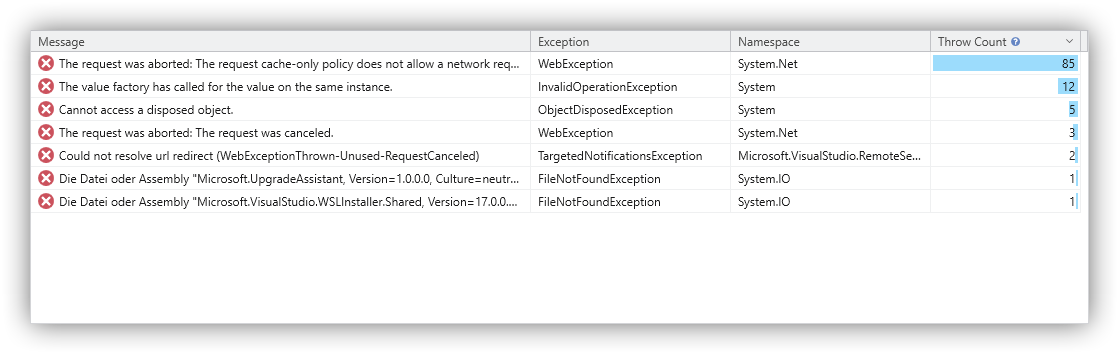
Columns
- Message: The exception message.
- Exception: The exception type.
- Namespace: The namespace of the exception type.
- Throw Count: The total number of times the exception was thrown.
Usage
- Sorting: Click a column header to sort the data. Hold the Shift key to perform multi-column sorting.
- Filtering: Select a time range in the timeline to filter the data by time, or use the thread selector to limit the data to specific threads.
- Customization: Use the ribbon to switch the programming language for type signatures.
Commands
The following commands are available via the context menu or, in some cases, the toolbar:
- Find All Throw Contexts: Locates all stacks that triggered the exception (in other words, every occurrence of the exception within the call tree) and displays them in a throw context list.
- Collapse All: Collapses all nodes within the entire grid.
- Collapse Others: Collapses all nodes in the grid except for the path leading to the currently selected item.
- Collapse Descendants: Collapses all descendant nodes of the selected item.
- Collapse Siblings: Collapses all sibling nodes of the selected item.